YOUR VOICE.
FRONT AND CENTER.
Dedicated vocal tracks and recording controls keep your performance at the heart of the session.
B.O.S.S. CODE MEDIA / CREATOR TOOLS
VIDEO · PHOTO · AUDIO ↓Professional video, photo, and audio creation tools. Built for creators. Available to everyone. Completely free.
Creator Studio: available now / Sound Studio: Windows release coming soon
01 / B.O.S.S. CREATOR STUDIO
FREE ONLINE CREATIONFrom the first frame
to your finishing touch.
Edit video. Shape a photo. Make your words move. A creative workspace built to turn “what if” into something worth sharing.
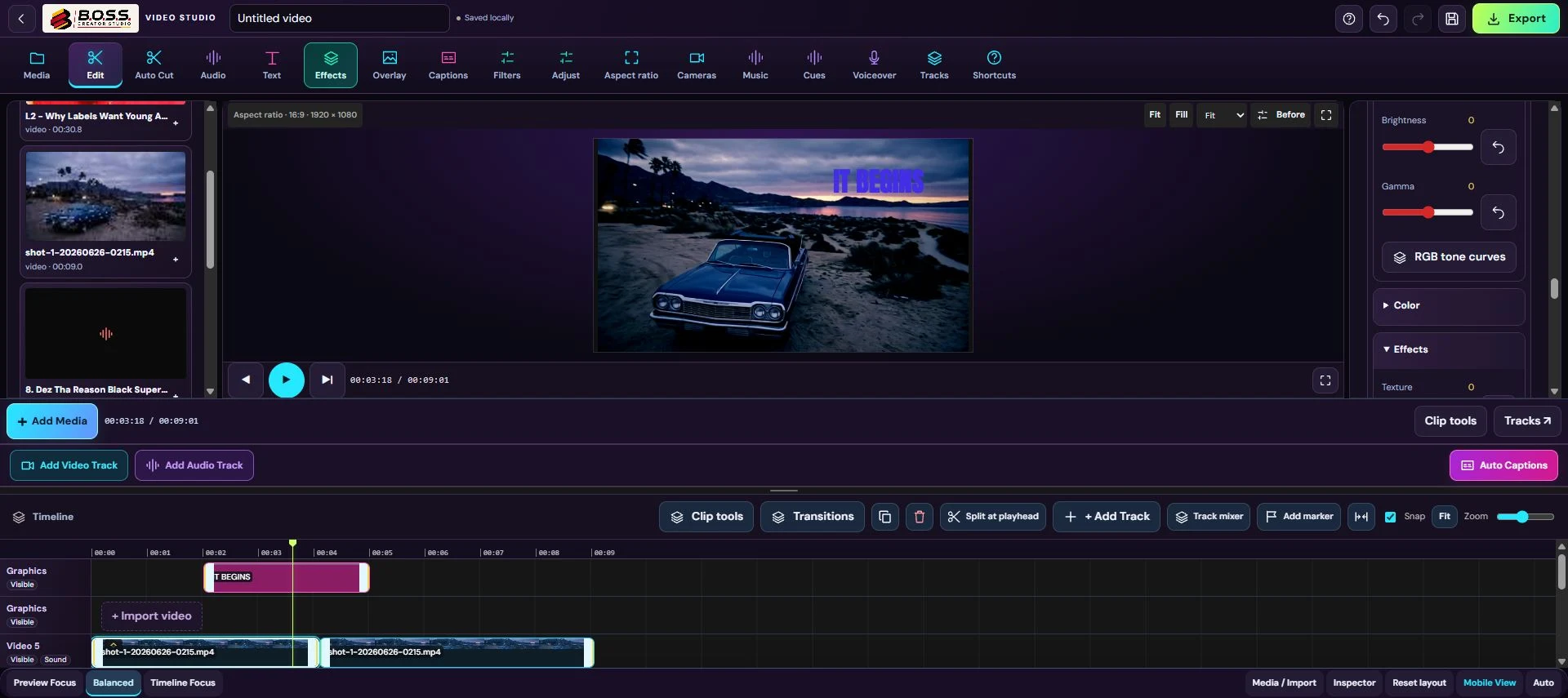
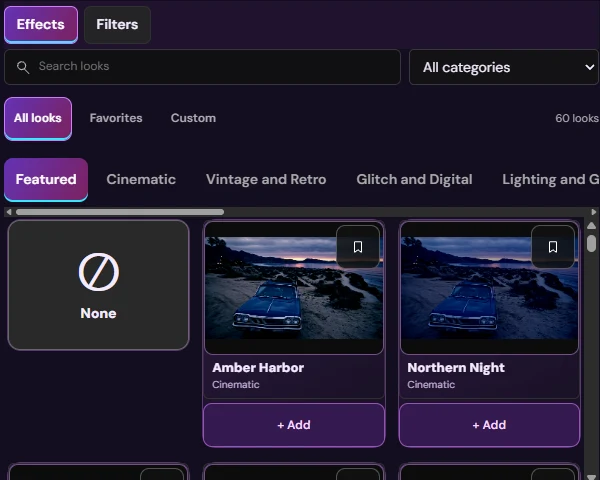
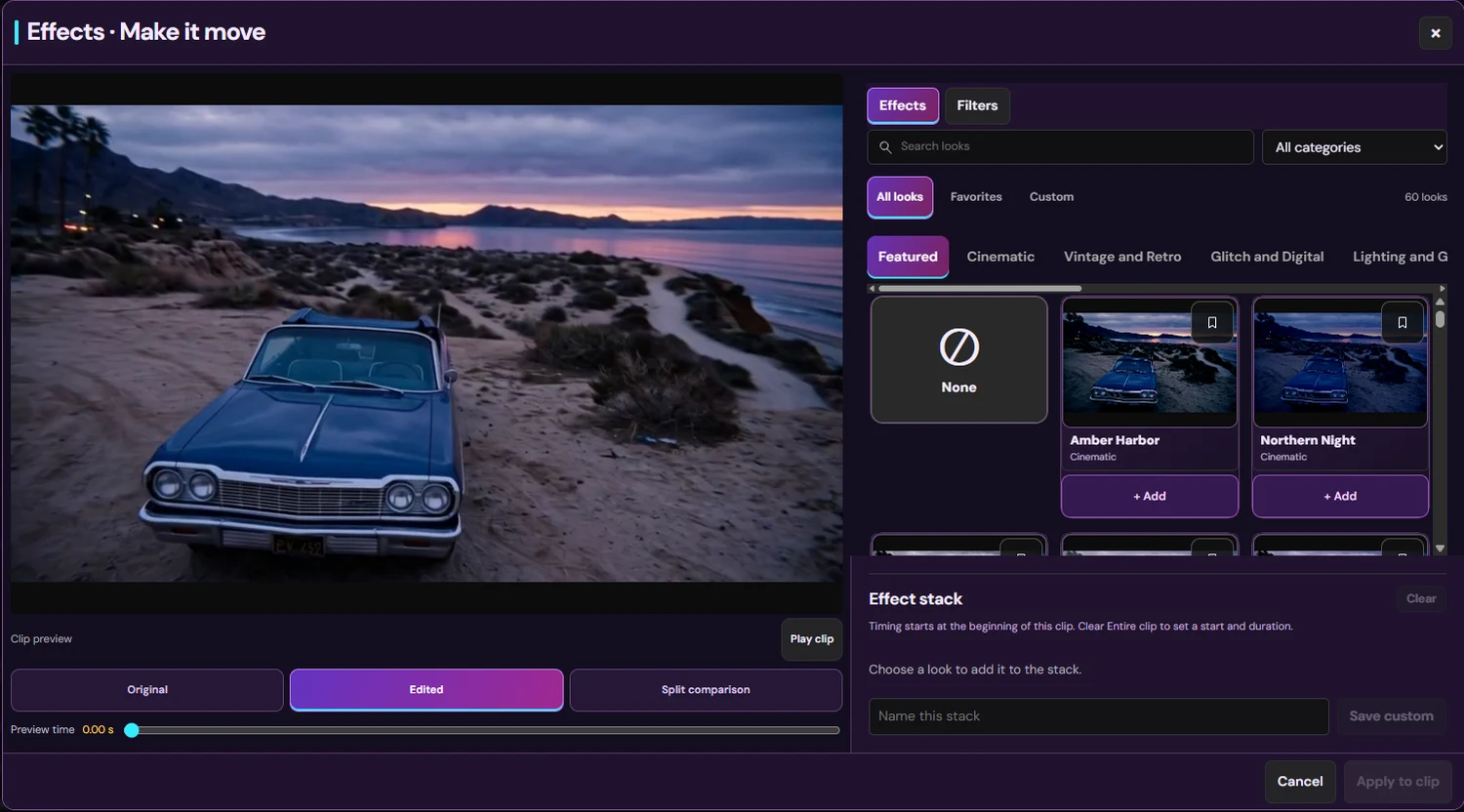
LAUNCH CREATOR STUDIOExplore cinematic looks, preview effects, and compare your original with the edited result.
Arrange video, audio, and text on a multitrack timeline. Trim, split, and shape the rhythm of your edit.
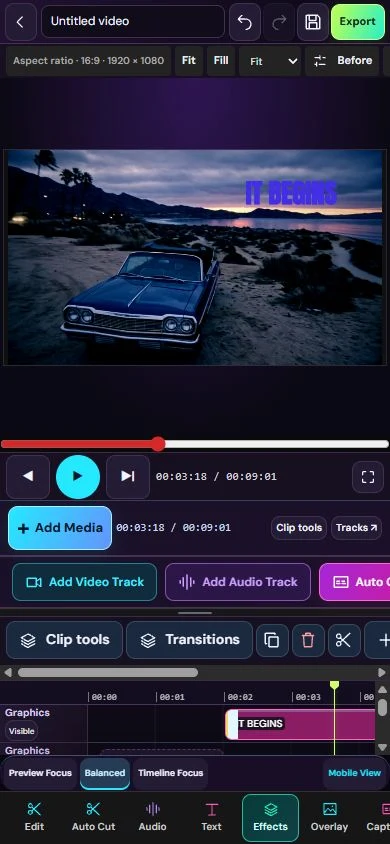
A dedicated mobile layout puts the preview, timeline, and editing tools within reach.
Actual app, responsive browser capture. Device capabilities vary.
THE DETAILS MAKE THE DIFFERENCE
Go from a clean cut to a signature style. Browse effects, build a look, and keep the original in view.
Text styles, animated text, and captions for words that belong in the story.
Overlays, filters, and color adjustments for video and photo projects.
Photo background removal and enhancement tools, with controls to refine the result.
Works in your browser. Desktop and mobile layouts.
Compatibility & local storage ↗
02 / B.O.S.S. SOUND STUDIO
FREE WINDOWS DAW · COMING SOONPress play on
your next chapter.
A free downloadable Windows digital audio workstation in development. Record vocals, arrange tracks, and bring your mix into focus.
EXPLORE SOUND STUDIO ↓Public Windows download coming soon.

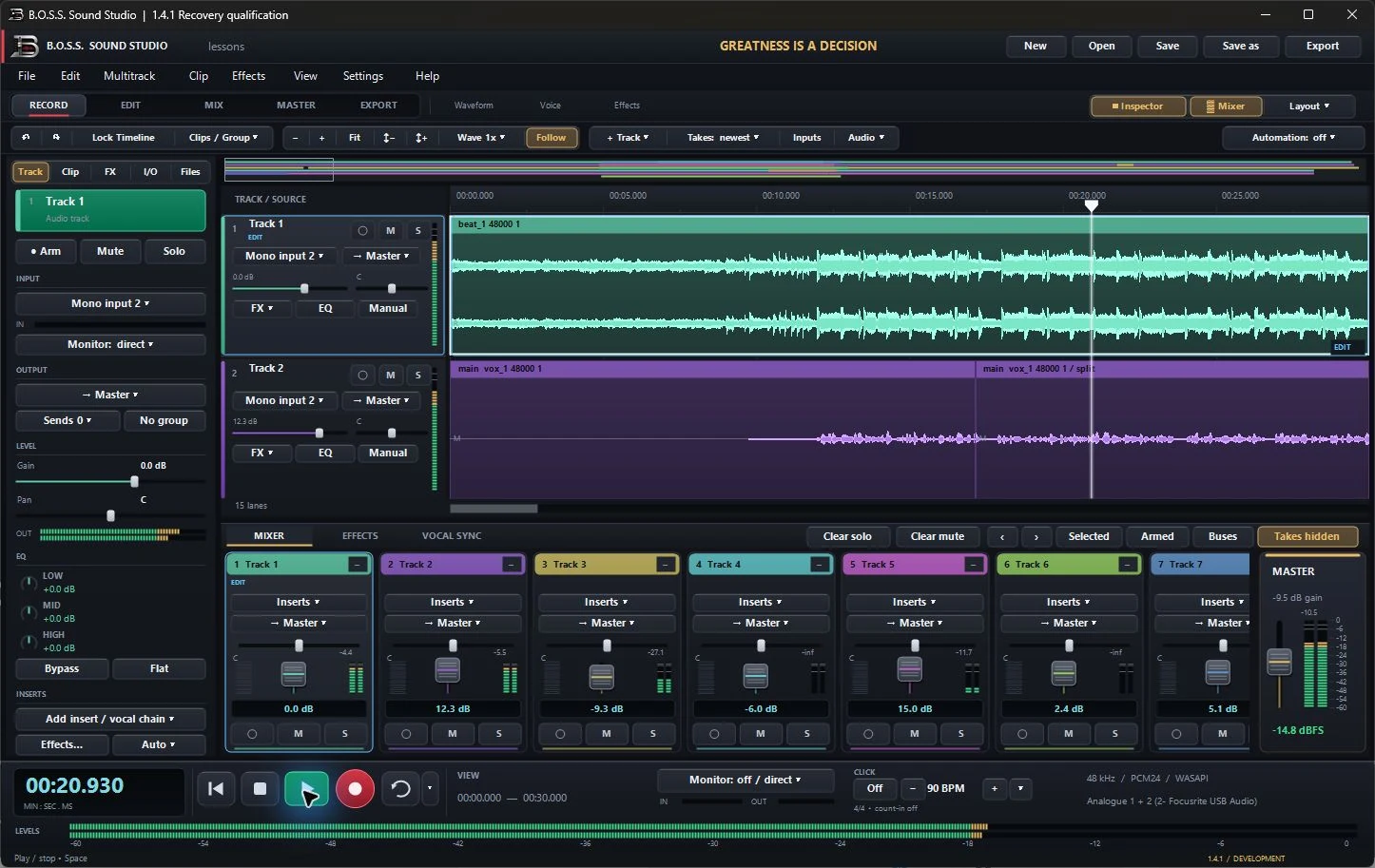
Dedicated vocal tracks and recording controls keep your performance at the heart of the session.
A multitrack timeline brings your instrumental, lead vocals, and backing parts together.
Channel faders, pan, EQ, insert controls, and level meters put the mix in view.
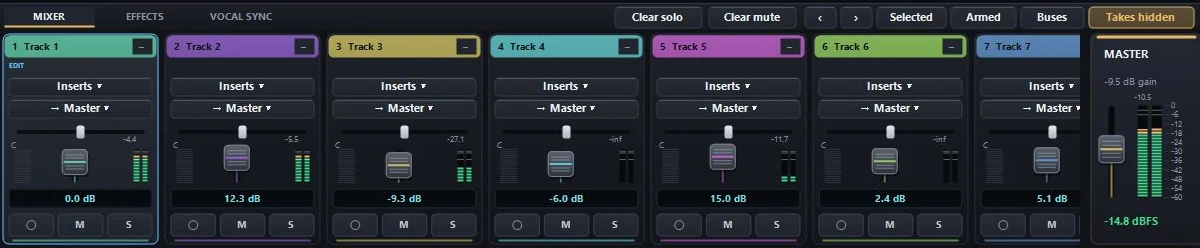
Development build. Scroll the detail horizontally on smaller screens.
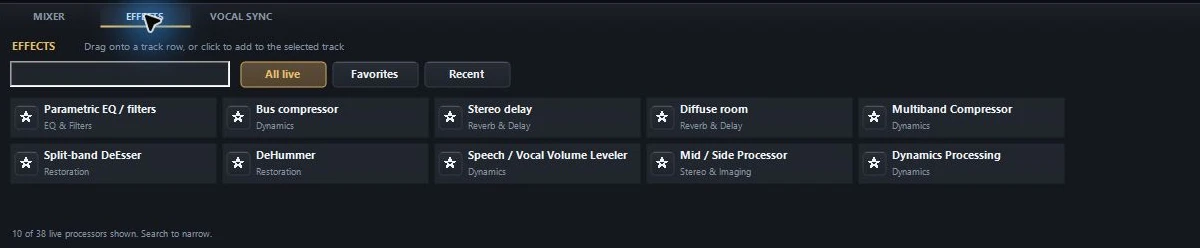
EQ, compression, delay, reverb, and vocal-processing tools shown in the current development build.
MADE FOR WINDOWS. BUILT FOR CREATORS.
These are real development-build visuals. The public installer and final system requirements will be shared here when ready.
Open, edit, create, print and convert documents for free.
Launch B.O.S.S. DOCS FIND YOUR VOICE ↗
Turn your words into natural-sounding voiceovers with six AI voices. Create, preview, and download professional audio completely free.
Launch ToolWHY WE BUILD
At B.O.S.S. CODE MEDIA, we believe great ideas deserve the tools to become reality. We’re building powerful, accessible creative technology so more people can create, produce, and share their work without expensive subscriptions standing in their way.
A FEW THINGS TO KNOW
Yes. Creator Studio is free to use. Sound Studio is being built as a free Windows download. Supporting development is completely voluntary.
Creator Studio runs in your browser and includes desktop and mobile layouts. Features, memory limits, and export options depend on your browser and device. Keep your original media and exported work backed up.
The public Windows release is coming soon. The screenshots show a real session in the current development build. A public download will appear here when the release is ready.
No. Support Is a Decision is completely voluntary. Create, share your work, and use the tools on your terms.
THE NEXT GREAT THING STARTS WITH YOU.
Explore free browser video and photo tools in B.O.S.S. Creator Studio and make voiceovers with B.O.S.S. Text to Voice.